Power over Ethernet simplifies network infrastructure by delivering electricity and data through a single Ethernet cable.
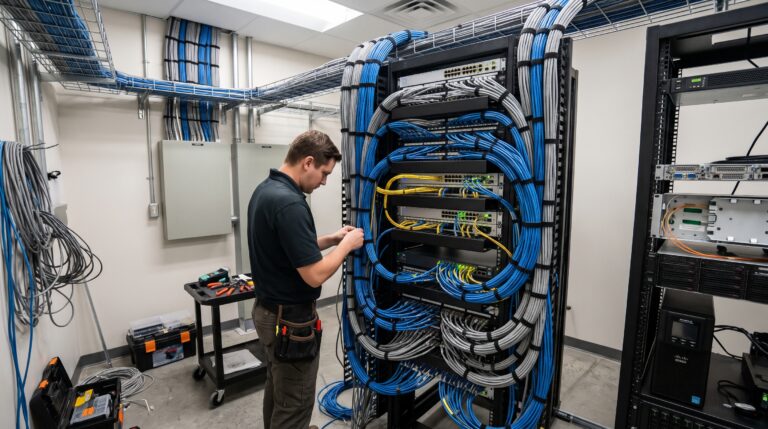
The first time I pulled a ceiling tile, I found a wireless access point running off a single blue cable. Naturally, I assumed somebody had hidden an outlet up there. However, there was no outlet. That was my introduction to power over ethernet. Since then, I’ve spent many years terminating jacks, dressing racks, and chasing down cameras that refuse to boot. In all that time, few things have changed how buildings get wired as much as this one has.
These days I rarely walk onto a commercial job where power over ethernet isn’t part of the scope. That includes office fitouts, warehouses, clinics, schools, retail stores, and even parking garages. Meanwhile, the cable plant that used to carry only data now powers half the devices on the network. Naturally, that brings a lot of convenience. However, it also brings some responsibility that many people underestimate. For that reason, this article explains how the technology works and what you can run on it. It also covers the field lessons that keep a PoE install from becoming a callback.
What Power over Ethernet Actually Is
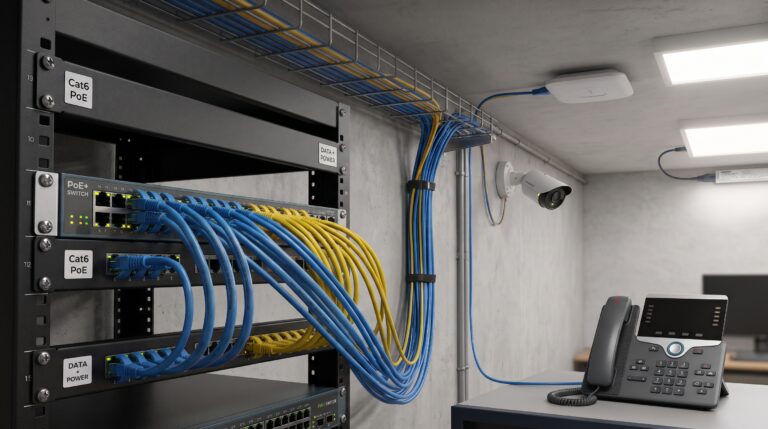
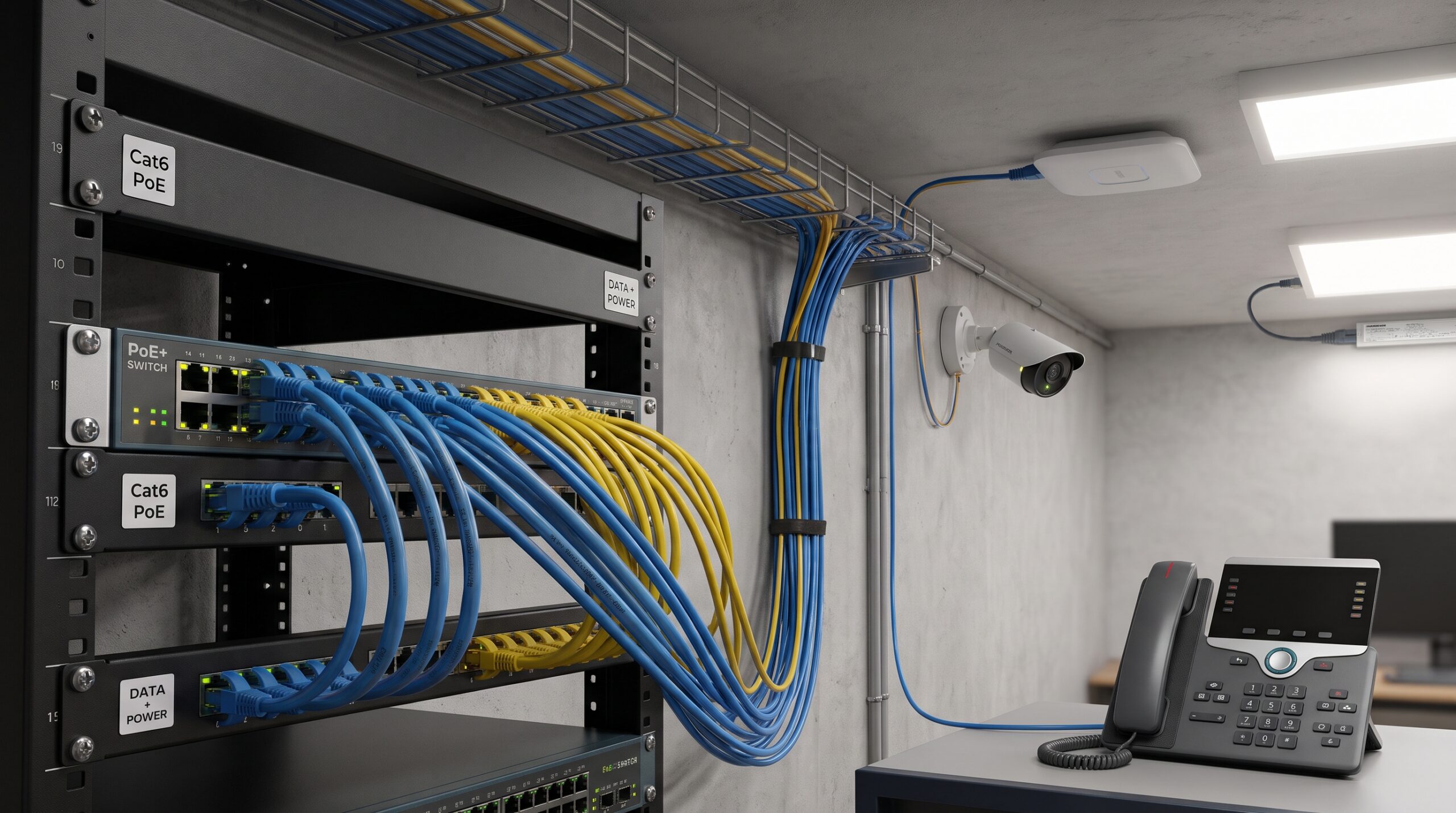
Power over ethernet sends DC power and network data down the same twisted pair copper cable to a device. In other words, you get one cable and one termination at each end. Then the device has both its network connection and its electricity. As a result, no electrician needs to drop a receptacle above the ceiling grid. Also, there’s no wall wart power supply hanging off a camera mount, and no separate circuit to label.
The Two Sides of Every Power over Ethernet Link
Two pieces of equipment make the system work:
- Power Sourcing Equipment (PSE). This is whatever puts power onto the cable. Most of the time it’s a PoE switch, and if you’re unsure where that fits in your gear, see my breakdown of a network switch vs. a router. We call it an endspan because the power comes from the end of the link where the switch lives. Alternatively, you can use a midspan, such as an injector or a powered patch panel. It sits between a regular switch and the device and adds power to the line.
- Powered Device (PD). This is whatever receives the power, for example the access point, the camera, the phone, or the door controller.
Meanwhile, the cable in between is ordinary category cable, Cat 5e or better. Nothing exotic. In fact, that’s a big part of why power over ethernet caught on so fast. After all, owners didn’t have to rip out their infrastructure to start using it.
Power over Ethernet Standards: PoE, PoE+, and PoE++
There’s a lot of loose marketing language floating around. So it helps to anchor everything to the IEEE standards, which play the same role for power over copper that RFCs play for internet protocols. Simply put, PoE, PoE+, and PoE++ line up with IEEE 802.3af, 802.3at, and 802.3bt. Think of them as three generations of one family. Each one pushes more power per port than the last.
IEEE 802.3af (Type 1, “PoE”)
Ratified in 2003, the original standard runs between 44 and 57 volts. It tops out at 15.4 watts per port, and that’s what leaves the switch. However, by the time it reaches the far end of a long run, the device can only count on about 12.95 watts. Even so, desk phones, basic fixed cameras, and older access points live comfortably here.
IEEE 802.3at (Type 2, “PoE+”)
PoE+ came along in 2009 and raised the source power to 30 watts. Of that, roughly 25.5 watts is guaranteed at the device. Today, it’s still the workhorse for most small and midsize business networks.
IEEE 802.3bt (Types 3 and 4, “PoE++”)
Later, in 2018, 802.3bt added Type 3 at 60 watts and Type 4 at 90 watts. The big change, though, is physical. The older standards only energize two of the four pairs in the cable. By contrast, 802.3bt uses all four, so the current gets spread across more copper.
Proprietary Power over Ethernet Versions and Cable Losses
You’ll also run into vendor names like Cisco UPOE. Those were solutions that came before 802.3bt was finished. Since then, most current gear has moved to the IEEE version of power over ethernet. Cisco’s newer UPOE+ switches comply with 802.3bt too, so the industry has largely converged.
One detail is especially worth remembering. The gap between what the switch sends and what the device gets isn’t a mistake. Instead, it accounts for the power lost in the cable itself. The standards assume a worst case 100 meter channel. Along the way, copper resistance turns some of that energy into heat. Hold onto that thought, because heat comes back later in this article.
How Power over Ethernet Gets Onto the Cable
Customers often ask me how you can push 50 volts down the same wires that carry gigabit data. Surely that would wreck the signal? The answer, basically, is the transformers inside every Ethernet port.
Phantom Power on Twisted Pairs
First, data on a twisted pair is sent as a differential signal. One wire goes positive while its partner goes negative, and the receiver only cares about the difference. By contrast, power over ethernet applies DC voltage as a common mode signal. That means both wires of a pair sit at the same DC level. The power is then injected and pulled off at the center taps of the port transformers. Consequently, the data side of the circuit never sees it. As far as the DC is concerned, there’s no difference between the two conductors of the pair. That’s sometimes called phantom power. Audio engineers have used the same basic idea for decades to power condenser microphones.
Alternative A and Alternative B
With the two pair standards, power rides on one of two sets:
- Alternative A uses the pairs on pins 1 and 2 and pins 3 and 6. These are also the data pairs in 10 and 100 megabit Ethernet.
- Alternative B, on the other hand, uses the spare pairs on pins 4 and 5 and pins 7 and 8.
A PSE uses one or the other, whereas a compliant powered device accepts either. With 802.3bt, however, both sets are energized at once. That roughly doubles the current carrying capacity of the link and spreads the load across more copper.
The Power over Ethernet Handshake: Why a Switch Won’t Fry Your Laptop
This is the part that sold me on the technology years ago. Unlike a basic power supply, a standards based switch doesn’t just slam 48 volts onto every port. Instead, it asks first.
Step One: Detection
To begin, the switch puts a small probing voltage on the line, somewhere between about 2.7 and 10 volts. Then it measures the current to look for a specific resistance. That signature is roughly 25,000 ohms. A laptop, a printer, or a regular network card doesn’t present that signature. So the switch never powers the port.
Step Two: Classification
Once the switch knows it’s dealing with a real powered device, it figures out how much power the device wants. During this phase, the device draws a specific current, and that current maps to a class. Classes 0 through 4 come from the older standards, while 802.3bt added classes 5 through 8.
Step Three: Power Up and Monitoring
Finally, the switch ramps the voltage up and delivers full power. Even after that, it keeps watching the port the whole time. When the device is unplugged, the switch cuts power within a fraction of a second. Overall, the PoE chipset handles the whole exchange in a few seconds, with no one touching anything.
Passive PoE vs. Standard Power over Ethernet
Compare that with passive PoE, which some outdoor radios and budget cameras still use. Passive injectors hold a fixed voltage, often 24 volts, on the line at all times. It doesn’t matter whether the device on the other end wants it. In short, there’s no detection, no classification, and no safety net. For example, I once saw a passive injector take out a port on a customer’s network video recorder. Somebody had simply patched it into the wrong jack. So if you mix passive devices with standard power over ethernet gear, label them clearly.
Power over Ethernet Budgets: The Math Most People Skip
Surprisingly, the most common power over ethernet problem I get called out for isn’t a bad cable. Rather, it’s a switch that ran out of power.
Per Port Power vs. Total Budget
Every PoE switch has two numbers you need to know. First is the maximum power per port. Second is the total power budget for the whole unit. For instance, a 48 port switch might deliver 30 watts on any single port. But if its total budget is 370 watts, it can’t do 30 watts on all 48 ports at once. Do that math and you’d need 1,440 watts. Likewise, the same rule applies with just two ports. A 20 watt budget can’t feed two devices that each want 15.4 watts at the same time.
Why Class Matters More Than Actual Draw
Here’s the part that trips up even experienced IT people. Most switches reserve power based on the class a device announces, not the power it really pulls. The exception is a switch that supports Autoclass in 802.3bt, because it measures actual consumption. As an example, a camera might only pull 6 watts but report itself as Class 4. In that case, it still ties up 30 watts of your budget. Eventually, the switch starts refusing to power new devices. Meanwhile, the meter says you’re only using half of what’s available.
How I Size a Power over Ethernet Closet
When I’m designing a closet, my process is basic:
- First, list every powered device and the class it reports, not the typical draw on the spec sheet.
- Next, add up the class maximums at the switch side.
- Then add 20 to 30 percent headroom for growth. Somebody always adds three more cameras after the job closes out.
- After that, check that the switch’s power supplies can deliver that total. Also decide whether you need a redundant supply in case one unit fails.
- Finally, configure port priority so access control and life safety devices stay up if the budget gets tight.
Unfortunately, that last step gets skipped all the time. After all, if the switch has to shed load, you want it dropping a lobby display. You don’t want it dropping the card reader on the front door.
Power over Ethernet Heat, Bundles, and Cable Choice
Back when power over ethernet topped out at 15 watts, nobody worried much about the cable. At 60 and 90 watts, however, you have to.
Where the Heat Comes From
Every conductor has resistance, and current through resistance makes heat. One cable in open air sheds that heat easily. By contrast, a tight bundle of 100 cables zip tied together through a ceiling is a different story. The cables buried in the middle can’t get rid of their heat, so they run hotter than the outer ones. Also, the bigger the bundle, the worse it gets.
So why should anyone care if a cable runs warm? Mainly because heat increases insertion loss. That can show up as bit errors and slowdowns long before anything melts. Furthermore, push the temperature far past the cable’s rating, and you start damaging the jacket and insulation.
TIA TSB 184A
This bulletin from the Telecommunications Industry Association is the industry’s guide for delivering power over twisted pair. It also explains how to keep bundle temperatures under control. Specifically, the basic model assumes a 45°C maximum ambient and a cable rated for 60°C. That therefore leaves a 15°C allowance for heating caused by power over ethernet. In addition, the bulletin recommends Cat 6A or better for new PoE installations.
The National Electrical Code
Starting with the 2017 edition, the NEC added an ampacity table (Table 725.144 in the 2017 and 2020 editions). It ties the allowed current per conductor to the wire gauge, the temperature rating, and the bundle size. At the same time, the update introduced optional “LP” (limited power) cable markings. LP cable isn’t required to run PoE, but it can make the inspection go faster.
Similarly, the Ethernet Alliance offers the most practical advice I’ve read on this. With standards compliant power over ethernet and bundles of 37 cables or fewer, the cable specification basically stops being a concern. In other words, smaller bundles mean less heat and less paperwork.
Habits That Keep Bundles Cool
In the field, that translates to habits I drill into every apprentice:
- Keep bundles small and loose, so use Velcro, not zip ties cranked tight.
- Also, spread runs across multiple J hooks or tray paths instead of stacking everything in one pathway.
- Avoid running high power PoE bundles through hot spaces like attics or right above boilers.
- Use 23 AWG Cat 6A when the design calls for Type 3 or Type 4 devices. Because thicker copper has less resistance, you get less heat and more power at the far end.
- Be careful with sealed conduit too, since heat has nowhere to go in there.
The Cable You Should Never Use for Power over Ethernet: CCA
I have to mention copper clad aluminum. Unfortunately, it’s still out there, and it still ends up on jobs bought from online marketplaces.
What Makes CCA a Problem
At a glance, CCA cable looks like copper. However, it’s lighter and cheaper. It also often comes with a jacket printed with category ratings it can’t actually meet. The core is aluminum with a thin copper skin. According to Belden, its DC resistance runs roughly 55 percent higher than solid copper. So it heats up more and leaves less power for the device at the far end.
The legal side matters too. EC&M reported on an industry white paper about this issue. It concluded that installing CCA category cable inside walls is likely a code violation anywhere in the United States. Therefore, if you’re a contractor and you install it, that liability can come back to you.
How CCA Fails in the Field
What makes CCA so frustrating with power over ethernet is the way it fails. The device doesn’t just refuse to work. Instead, it reboots randomly when the camera’s IR lights kick on at night. Or the access point drops when the radio gets busy. Customers usually blame the ISP or DNS first, but the cable is the culprit. For example, I once spent half a day on a site with a pan tilt zoom camera that rebooted every evening around dusk. The cable certified fine for data on a quick test. However, the DC resistance was way off. So we pulled the run and replaced it with solid copper. After that, the problem never came back. If a box of cable seems too cheap for what it claims to be, scrape a conductor. Then, if you see silver, send it back.
Power over Ethernet Distance Limits
Power over ethernet follows the same channel rules as Ethernet: 100 meters. That’s 90 meters of permanent link plus up to 10 meters of patch cords. Accordingly, every standard calculates its power budget on that worst case length.
Sometimes a device needs to be farther out, like a camera on a parking lot pole or a gate controller at the end of a long drive. Even then, you still have options. For instance, a PoE extender can repeat both data and power for another segment. For really long runs, though, fiber is usually the better answer. Run it to a hardened switch at the remote location, then use local power and short PoE runs from there, which gives you a small star off the main network, one of the classic network topology types. Above all, don’t try to cheat the 100 meter limit and hope the device copes. Otherwise, power drops off, link speeds fall back, and you’ll be returning to the site.
What Power over Ethernet Powers Today
Here’s where things get interesting. The list of devices running on power over ethernet keeps growing. On newer jobs, it now covers almost everything on a ceiling or wall that needs network access.
Network and Communication Devices
Wireless access points. These are still the biggest single use. However, newer multi radio access points can need more than PoE+ provides. So I’m seeing more designs call for 802.3bt ports and Cat 6A drops to every AP location. Even mesh WiFi for business setups run best when the nodes have wired PoE backhaul.
VoIP phones and paging speakers. Desk phones were one of the first big PoE applications, and they’re still everywhere, usually on their own voice VLAN. Similarly, IP paging speakers and horns have largely replaced old analog paging in new construction.
Security and Access Control
IP security cameras. Fixed domes run fine on standard PoE. On the other hand, some cameras need much more, such as pan tilt zoom models, multisensor units, and outdoor housings with heaters. These often need PoE+ or 802.3bt, especially in cold weather when the heater turns on.
Access control. Card readers, door controllers, and even some electric strikes and maglocks can draw power from the controller. The controller, in turn, is powered by PoE. As a result, the door hardware wiring gets a lot simpler. Still, you need to coordinate with fire alarm and life safety requirements for doors in an egress path.
Lighting, Displays, and Smart Building Gear
LED lighting. Lighting systems built on power over ethernet let each fixture be addressed and controlled over the network. They also have occupancy and daylight sensors built in. It’s not for every building. But in offices that want detailed energy data, it’s a serious option.
Digital signage and displays. Likewise, smaller screens, meeting room schedulers, and wayfinding kiosks can run off 802.3bt Type 3 or Type 4 ports.
Building sensors and IoT. Temperature, humidity, air quality, occupancy, and leak sensors are all low power devices. So they fit easily within PoE limits. As those device counts climb, plenty of sites are also weighing IPv4 vs. IPv6 addressing.
Industry Specific Equipment
Point of sale and thin clients. Some terminals and small computers can now run from a high power port. Even laptops can, through a PoE to USB C adapter.
Healthcare and education devices. In addition, nurse call stations, classroom audio, intercoms, and clock systems all show up on PoE drawings now.
Overall, the common thread is simple. When a device is small, fixed in place, and needs network access anyway, power over ethernet is usually the cleanest way to power it.
Why Business Owners Like Power over Ethernet
Beyond the technical benefits, PoE also makes business sense. That’s usually what gets a project approved.
Cost and Uptime
Lower installation costs. You avoid hiring an electrician to run line voltage to every ceiling location. Moreover, low voltage cabling often has simpler permitting. A structured cabling crew can also install it in one pass.
Centralized backup power. Put a UPS on the switch in the telecom room. Then every phone, camera, and access point downstream stays up during a power outage. Clearly, that’s far easier than putting a battery behind every device, and it belongs in any serious disaster recovery plan.
Management, Flexibility, and Safety
Remote management. From the switch, an IT person can see how much power each device draws, and network monitoring tools can alert on it. They can also power cycle a frozen camera without sending anyone up a ladder. On a large site, that alone saves real money, whether your IT support for small business is in house or you’re comparing managed IT services cost.
Flexibility. Moving an access point means moving a cable, rather than reworking an electrical circuit. Naturally, that matters in offices that get reconfigured every few years, and it fits neatly into the change management practices ITIL describes.
Safety. Power over ethernet operates within Class 2 power limits, so it’s far less hazardous than line voltage wiring. Besides that, the negotiation process adds another layer of protection.
Power over Ethernet Field Tips From the Ceiling Grid
Finally, here are a few lessons that don’t fit neatly anywhere else.
Testing and Hardware
Certify every link, and keep the reports. A proper certification test catches bad terminations, split pairs, and length issues early. That way, they never turn into PoE problems or help desk tickets. Some testers can also measure DC resistance unbalance. That’s a common hidden cause of power over ethernet trouble.
Don’t unplug live high power links carelessly. Disconnecting a plug carrying high current can cause a small arc at the contacts. Good connectors are designed so the arc happens away from the mating surface. Still, it’s a reason to buy quality jacks and patch cords instead of the cheapest ones.
Watch the patch cords. I’ve traced plenty of problems to thin 28 AWG patch cords. Although they’re handy in dense racks, they have higher resistance and tighter limits on length and bundling. Therefore, use them with care on high power ports.
Documentation and Coordination
Document power, not just ports. On my as built drawings, I note which devices are on 802.3bt ports and what class they report, and that data feeds straight into the client’s IT asset management records. That way, the next technician who works in that closet will thank you.
Talk to the electrician early. On big jobs, coordinate with the electrical contractor about rack power, UPS sizing, and cooling. After all, a closet full of high budget PoE switches throws off serious heat. An undersized HVAC unit will also shorten the life of everything in there.
The Bottom Line on Power over Ethernet
Power over ethernet started as a convenience for desk phones. Since then, it has turned into the backbone of how modern buildings power their edge devices. The technology itself is mature and very reliable when it’s installed correctly. In the end, the boring stuff separates a solid installation from a troublesome one. That means honest power budgets, solid copper cable, sensible bundles, certified links, and good documentation.
So if you’re planning a new office, a security upgrade, or a wireless refresh, treat the cabling as part of the power system. After all, that’s what it is now. Get that right, and power over ethernet will quietly do its job for years.
Power over Ethernet FAQs
What is the difference between PoE, PoE+, and PoE++?
They are three generations of the IEEE standard. PoE (802.3af) delivers up to 15.4 watts from the switch, and PoE+ (802.3at) delivers up to 30 watts. Meanwhile, PoE++ (802.3bt) delivers up to 60 watts for Type 3 or 90 watts for Type 4. For more detail, the Ethernet Alliance overview of 802.3bt breaks down the types and classes.
Can a PoE switch damage a device that doesn’t support PoE?
A standards based switch won’t power a device unless it detects a valid PoE signature first. So laptops and printers are safe. Passive PoE injectors are different, however, since they supply voltage without any detection. Microchip’s PoE standards guide explains how the IEEE types handle this.
What cable should I use for power over ethernet?
Cat 5e works for all PoE standards. For new installations with high power devices, though, Cat 6A with solid copper conductors is safer because it handles heat better. Belden’s explanation of TSB 184A covers why.
How far can a power over ethernet run go?
It runs the same distance as Ethernet: 100 meters total channel length. Longer runs, therefore, need an extender or a fiber link to a remote switch.
Do I need LP rated cable for power over ethernet?
No. LP marked cable is optional and simplifies inspection. Standard cable is fine when bundle sizes and current stay within the NEC ampacity table. Siemon’s review of the 2020 NEC ampacity changes goes through the details.
Why is copper clad aluminum cable a problem for PoE?
CCA has much higher resistance than copper, so it runs hotter and delivers less power to the device. Also, it doesn’t meet industry standards for category cable. trueCABLE’s Fluke test of CCA versus copper shows the difference clearly.
Why does my PoE switch stop powering devices before it reaches its rated budget?
Most switches reserve power based on the class each device reports, rather than what it actually uses. As a result, a device that reports a high class ties up more budget than it draws. TRENDnet’s guide to PoE device classes explains how classes affect your budget.
References
- Ethernet Alliance. Overview of 802.3bt Power over Ethernet Standard
- Belden. 100W PoE Is a Standard
- Belden. How the New TSB 184A Standard Supports PoE
- Ethernet Alliance. Cabling System Design and Installation for Delivering Power via PoE
- Siemon. 2020 Conductor Ampacity Code Refinements
- Leviton. Tips for Minimizing Cable Temperature Rise in PoE Installations
- TechTarget. Power over Ethernet for Network Architects
- Cisco. Cisco UPOE+ and the IEEE 802.3bt Standard
- TRENDnet. How PoE Device Class Affects Your PoE Budget
- TP-Link. PoE Switch Guide: Standards, Power Budget, and Planning for Business
- Linovision. What Is the PoE Powering Process?
- Automation.com. Understanding Benefits of Active PoE Switches
- EC&M. CCCA Cites Potential Legal Liabilities for Copper Clad Aluminum Cable
- trueCABLE. Copper Clad Aluminum vs Copper: The Ultimate Fluke Test
- Cabling Installation & Maintenance. To Bundle or Not Bundle?
- Panduit. PoE Cabling Requirements
About the Author