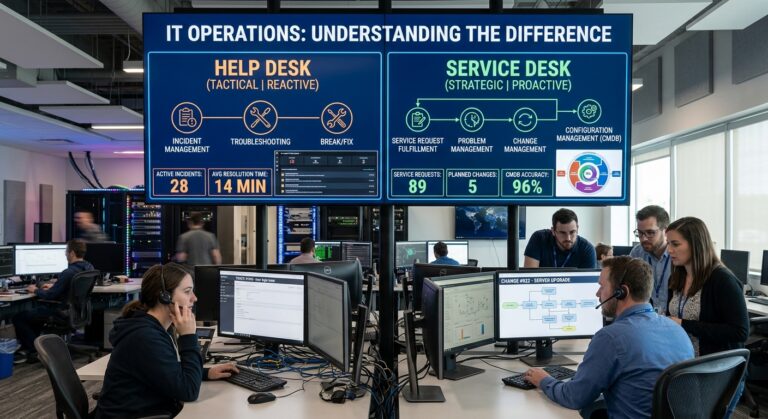
Business professionals review managed IT service pricing, annual costs, and key technology services for 2026.
Every few weeks, a business owner slides two proposals across a conference table and asks me why the managed IT services cost on one is almost double the other.
I have been on both sides of that table. For years, I built service agreements for a managed services provider, and now I spend most of my time helping companies figure out whether the quote in front of them is fair, padded, or dangerously thin. In most cases, the honest answer is not that one provider is greedy. Instead, the two proposals usually describe completely different services that happen to share a name.
So let’s talk plainly about what businesses really pay in 2026. Not the marketing version, but the version I would give a friend who runs a 30 person accounting firm and needs to make a decision by Friday.
The Short Answer on Managed IT Services Cost
If you want one number to anchor your budget, here it is. Across published 2026 pricing guides, US businesses pay roughly $100 to $300 per user per month for fully managed IT, and most land somewhere between $150 and $200 per user.
In fact, that range is consistent with what I see in actual contracts. For example, one of the more detailed data sets this year, covering 47 US metro areas, found a national midpoint near $142 per user, with rates as low as $85 in the least expensive markets and as high as $350 in the most expensive ones.
Geography also matters more than people expect. After all, a provider in Manhattan pays its engineers more, pays more for office space, and serves clients with heavier compliance demands. On the other hand, a provider in a smaller Texas city does not. As a result, the same service carries a different cost base.
What the High and Low Ends Tell You
At the top end, the numbers climb fast. For instance, some larger providers publish packages running from $150 up to $400 per user for their most complete tiers. So when you see a quote at $300 or more, it usually means 24 hour coverage, a dedicated security operations layer, and real compliance documentation are baked in.
And at the bottom? Frankly, I get nervous. Several providers now warn that anything under about $75 per user for a plan called “comprehensive” should make you ask what is being left out. I agree, because I have audited a lot of those cheap agreements. Almost always, the missing piece is security, after hours response, or backup testing.
Why Managed IT Services Cost Can Differ by Thousands
Here is something I wish every buyer understood before they start collecting quotes. “Managed IT” is not a standardized product. In other words, there is no governing body that says what must be included.
For example, one provider’s “fully managed” plan might cover help desk calls, patching, antivirus, and a monthly report. Meanwhile, another’s might add endpoint detection and response, email filtering, security awareness training, backup with tested restores, vendor management, quarterly strategy meetings, and a named engineer who actually knows your network.
Still, both get called managed IT, and both get priced per user. Consequently, the gap between them can easily be $80 or $100 per person per month.
How I Compare Managed IT Services Cost Between Proposals
When a client shows me two proposals, I first ignore the price entirely. Then I build a simple grid with every service down the left side and check off what each provider includes. Only after that do I look at the dollars. Nine times out of ten, the “expensive” proposal turns out to be the cheaper one once you price out what the other provider would charge as extras.
How Providers Structure Managed IT Services Cost
Per User Pricing
Today, this is the model most providers lean on, and for good reason. You pay a flat monthly fee for each employee, and that fee covers every device that person uses, such as their laptop, their phone, and the tablet they bring to client meetings. So when you hire someone, the bill goes up by one seat. Similarly, when someone leaves, it goes down.
For most offices, per user pricing is therefore the easiest to budget and the easiest to understand. Moreover, it matches how work really happens now, since most people carry two or three devices.
Per Device Pricing
Some providers, however, still bill by the endpoint. In Kaseya’s industry survey, 28 percent of providers offering per device pricing charged between $50 and $100 per device per month for ongoing support. Naturally, servers and network gear cost more than workstations because they take more work to manage.
Per device pricing can be cheaper for businesses with lots of shared machines and few users, like a warehouse with kiosk stations. Yet for a typical office where everyone has a laptop and a phone, it often ends up costing more. It also creates arguments about what counts as a device.
Tiered Packages
Many providers also bundle services into good, better, and best tiers. Typically, the lowest tier covers monitoring and basic support, the middle adds security tooling, and the top tier adds compliance work and strategic planning. Although tiers make shopping easier, read the fine print on what moves between them. For example, I have seen backup monitoring sitting in a top tier where it absolutely does not belong.
Comanaged IT
If you already have an internal IT person or small team, then you probably do not need a fully managed plan. Instead, a comanaged agreement gives your staff escalation support, better tools, and coverage when they are on vacation. Typical market bands put comanaged arrangements around $50 to $125 per user, compared to $100 to $200 for standard per user plans.
Honestly, this is one of the most underused options out there. I have seen companies pay for full management while their internal IT manager does half the work anyway. In that case, the money simply goes down the drain.
Break Fix and Hourly Work
Finally, there is the old model. Something breaks, you call someone, and they bill you by the hour. Hourly support usually runs roughly $100 to $200 per hour. At first glance, it looks cheap because you pay nothing during quiet months. The problem, though, is that nobody is watching your systems during those quiet months. As a result, problems grow until they become expensive emergencies. For that reason, I rarely recommend it for any business with more than five employees.
What Actually Moves Your Managed IT Services Cost
After pricing hundreds of environments, I can tell you the factors that push a quote higher are pretty predictable.
Security Depth
In 2026, this is the biggest swing factor. A basic plan includes antivirus and patching. In contrast, a serious plan adds endpoint detection and response, a security operations center watching alerts around the clock, email security, multifactor authentication enforcement, and phishing training. Therefore, buyers are being warned to confirm security is included rather than becoming a separate $50 to $150 per user charge later on.
Compliance Requirements
If you handle patient records, payment card data, legal files, or government contracts, your provider has to do more documentation, more auditing, and more careful change control. Naturally, that labor costs money. This is why healthcare practices, law firms, and defense suppliers consistently sit at the higher end of the range.
After Hours Coverage
Business hours support is the default. However, if your team works nights, weekends, or across time zones, expect to pay more for real 24 hour response, not just an answering service that emails someone. Outages don’t keep business hours either, including upstream internet routing problems that start outside your building.
The State of Your Environment
This is the one people do not want to hear. If your network is held together with consumer grade routers, five different versions of Windows, a flat network with no VLAN segmentation, and a server that should have been retired three years ago, your provider will price in the extra tickets those things generate. Put simply, clean environments cost less to support.
Locations and Ticket Volume
Every additional office adds a firewall, a switch stack, an internet circuit, and a set of problems. Consequently, multi site businesses pay more per user than single office businesses of the same size. Likewise, providers watch how often each user calls for help, and some industries simply generate more requests. For instance, a design studio running heavy creative software will open more tickets than a small insurance agency using a handful of web apps.
Managed IT Services Cost by Company Size
Theory is nice, but most people want to see dollars. So here is how I sketch budgets for clients, using realistic 2026 rates for a fully managed plan with a solid security baseline.
| Company Size | Lean Plan (around $125 per user) | Typical Plan (around $175 per user) | Security Heavy Plan (around $250 per user) |
|---|---|---|---|
| 10 users | $1,250 per month | $1,750 per month | $2,500 per month |
| 25 users | $3,125 per month | $4,375 per month | $6,250 per month |
| 50 users | $6,250 per month | $8,750 per month | $12,500 per month |
| 100 users | $12,500 per month | $17,500 per month | $25,000 per month |
A few notes on this table. First, very small offices often pay a monthly minimum, so a five person firm may not see true per user pricing. Second, larger companies sometimes negotiate lower rates per seat because the provider’s fixed costs spread across more people. Finally, if you have servers or specialized equipment, expect separate line items, with server management often priced between $300 and $800 per server each month.
Hidden Fees in Your Managed IT Services Cost
The monthly fee, however, is only part of what you will really spend. These are the extras that catch people off guard.
Onboarding Fees
Almost every provider charges a one time fee to take over your environment. During onboarding, they document everything, install their monitoring tools, fix urgent problems, and bring systems up to their standards. Generally, onboarding fees range from about $500 to $5,000, and they can run higher if your environment is a mess. Personally, I prefer providers who charge a fair onboarding fee, because it shows they plan to do the cleanup properly instead of hiding the cost inside a long contract.
Projects
Your monthly fee covers keeping things running. However, it does not usually cover big changes like migrating to a new cloud platform, rebuilding your network, or opening a new office. Instead, those get quoted as separate projects. So ask every provider how they define a project, because some draw that line very generously in their own favor.
Licensing and Hardware
Microsoft 365, your security tools, and your backup storage are often billed on top of the service fee. While some providers include them, others resell them at a markup, and still others expect you to buy them directly. Therefore, make sure you are comparing like with like. In addition, laptops, firewalls, and switches still have to be replaced, and replacements should fully support IPv6. One practical rule many advisors use is to budget roughly one fifth of your device fleet’s replacement cost every year, assuming a five year cycle.
Work Outside the Agreement
Above all, read the exclusions section. That is where you find things like onsite visits billed separately, after hours rates, or support for “non standard” software. In fact, Corsica Technologies notes that hidden costs can raise an actual bill by 30 to 50 percent beyond the advertised rate, which matches my experience with poorly scoped agreements.
Managed IT Services Cost Versus Hiring Your Own IT Person
This comparison comes up in almost every conversation, so let’s do the math honestly.
The Cost of One Internal Hire
The Bureau of Labor Statistics reports a median annual wage of $99,130 for network and computer systems administrators as of May 2025. Once you add payroll taxes, health insurance, retirement contributions, training, and paid time off, the real cost of one solid IT employee easily passes $130,000 per year. Furthermore, that person needs tools. Monitoring software, security platforms, and backup systems can add tens of thousands more.
The Cost of a Managed Team
Now compare. A 40 person company paying $175 per user spends about $84,000 a year on managed IT. For that, they get a whole team, including help desk technicians, network engineers, security specialists, and someone who thinks about strategy. Besides, nobody goes on vacation and leaves you uncovered. Nobody quits and walks out with all the passwords in their head, either.
That said, I do not think managed IT is always the answer. Once a company reaches 150 or 200 people, an internal IT lead paired with a comanaged provider often makes more sense. In that setup, the internal person knows the business deeply, while the provider fills the gaps. Ultimately, the right structure depends on size, complexity, and how much IT is part of how you make money. For a full walkthrough of in house, outsourced, and hybrid models, see our guide to IT support for small business.
The Real Price of Choosing the Cheapest Quote
I want to be careful here, because “you need to spend more on security” is exactly what every provider says. Even so, the numbers are hard to argue with.
What the Breach Data Shows
IBM’s 2025 Cost of a Data Breach Report put the global average cost of a breach at $4.44 million, while the average US breach hit a record $10.22 million. Admittedly, small businesses do not usually face numbers that big. Then again, they also do not have the cash reserves to survive a fraction of it.
What jumps out to me in that research, though, is the timing data. Breaches found in under 200 days averaged $3.61 million, compared to $5.49 million for those that took longer. In other words, faster detection is exactly what good monitoring buys you. Similarly, phishing was the most common way attackers got in, accounting for 16 percent of breaches. Unfortunately, email filtering and staff training are usually the first things stripped out of a cheap plan.
A Lesson From the Field
I once took over a client from a low cost provider after a ransomware incident. Before that, their monthly bill had been about $70 per user. Afterward, the recovery, legal review, and lost work over three weeks cost more than five years of a properly scoped agreement would have. The backups existed. However, nobody had ever tested restoring them.
Sadly, that story is not unusual. In fact, it is the most common one I hear.
How I Read an MSP Proposal (Steal This Checklist)
When I review a proposal for a client, I work through these questions before I even think about the price.
- What exactly is covered under the monthly fee? Get it in writing, service by service, because vague phrases like “comprehensive support” mean nothing.
- Is security included, and how deep does it go? Look for endpoint detection and response, email protection, multifactor authentication, and someone actually watching alerts.
- How are backups handled and tested? Also ask when they last performed a test restore for an existing client and what the result was.
- What are the response time commitments? Get specific numbers for urgent, high, and normal issues, both during and after business hours.
- What is excluded? Read this section twice, and then ask about onsite visits, after hours work, domain and DNS management, and new software requests.
- What does onboarding include and cost?
- How long is the contract, and how do I leave? Watch for automatic renewals and termination fees. In addition, ask how they will hand over documentation and admin access if you part ways.
- Who will I actually work with? A named account manager and a regular planning meeting are worth paying for.
- How do they handle price increases? Many agreements allow annual increases tied to inflation or vendor costs, so know the cap.
If a provider gets defensive about any of these, that tells you something too.
So What Should Managed IT Services Cost You in 2026?
For most small and midsize businesses, plan around $150 to $200 per user per month for a properly secured, fully managed plan. Go lower only if your environment is simple and your risk is low. On the other hand, expect to go higher if you are regulated, run around the clock, or have multiple locations.
Then add a one time onboarding budget, a yearly hardware reserve, and a small project fund for the improvements you already know are coming.
In the end, the goal is not to find the lowest managed IT services cost. Rather, it is to find the price where you stop worrying about technology and get back to running your business. Of course, that number is different for everyone, which is why a good provider will help you figure out where yours sits instead of just handing you a rate card.
Frequently Asked Questions
How much does managed IT services cost per user in 2026?
Most US businesses pay between $100 and $300 per user per month. Typically, they land between $150 and $200 for fully managed support with a solid security baseline. See the Prevvi 2026 pricing guide for a breakdown by scope.
Is per user or per device pricing better?
Per user pricing works best for most offices because employees use several devices each. However, per device pricing can make sense for businesses with many shared machines and few staff. The Kaseya MSP pricing guide shows how providers structure both models.
How much should managed IT services cost a 20 person company?
At typical 2026 rates of $150 to $200 per user, a 20 person company should expect roughly $3,000 to $4,000 per month, plus a one time onboarding fee and licensing. The Kosh Solutions pricing guide also gives sample budgets for 20, 50, and 100 users.
Does managed IT services cost include cybersecurity?
Usually it includes basic protection. However, advanced tools like endpoint detection and response, a security operations center, and staff training are often extra. Dataprise explains how security tiers affect price.
What hidden fees raise managed IT services cost?
Watch for onboarding fees, project work, software licensing markups, onsite visit charges, and after hours rates. Corsica Technologies covers how these extras inflate the real bill.
Is managed IT cheaper than hiring an internal IT person?
For most companies under about 100 employees, yes. After all, a single systems administrator earns a median of nearly $100,000 before benefits and tools, according to the U.S. Bureau of Labor Statistics, while managed IT gives you a full team.
Why does managed IT services cost vary so much between providers?
Because there is no standard definition of managed IT, providers differ in security depth, response times, compliance support, and what they exclude. In addition, the CloudSecureTech pricing statistics show regional rate differences across 47 US cities.
References
- Prevvi. How Much Do Managed IT Services Cost? 2026 Pricing Guide. prevvi.com
- CloudSecureTech. Managed IT Services Pricing Statistics for 2026. cloudsecuretech.com
- CloudSecureTech. MSP Pricing Guide: Models, Ranges and What’s Included. cloudsecuretech.com
- Kaseya. MSP Pricing: A Guide to Managed IT Services Pricing. kaseya.com
- Corsica Technologies. How Much Do Managed IT Services Cost? 2026 Pricing Guide. corsicatech.com
- Dataprise. How Much Do Managed IT Services Cost in 2026? A Transparent Breakdown. dataprise.com
- Tekabyte. Managed IT Services Pricing Models: 2026 Guide. tekabyte.com
- Total Secure Technology. How Much Do Managed IT Services Cost in 2026? totalsecuretech.com
- NorCal Techs. How Much Do Managed IT Services Cost in 2026? norcal-techs.com
- Kosh Solutions. Managed IT Services Pricing: How Much Does It Cost in 2026? koshsolutions.com
- U.S. Bureau of Labor Statistics. Network and Computer Systems Administrators, Occupational Outlook Handbook. bls.gov
- Help Net Security. Average Global Data Breach Cost Now $4.44 Million. helpnetsecurity.com
- IBM. 2025 Cost of a Data Breach Report: Navigating the AI Rush Without Sidelining Security. ibm.com
- Datafence. Cost of a Data Breach 2025: IBM Report Analysis. datafence.ai
About the Author