Cat6 vs Cat6a: Understanding cable construction, bandwidth, and performance for reliable business networks.
Nearly every site walk we do ends with the same question: Cat6 vs Cat6a, which one should we install? First, we measure the ceiling, find the telecom closet, and count the desks. Then someone from the client side asks it. It’s a fair question. However, it’s also one where the internet gives plenty of answers that don’t match what happens on a real job.
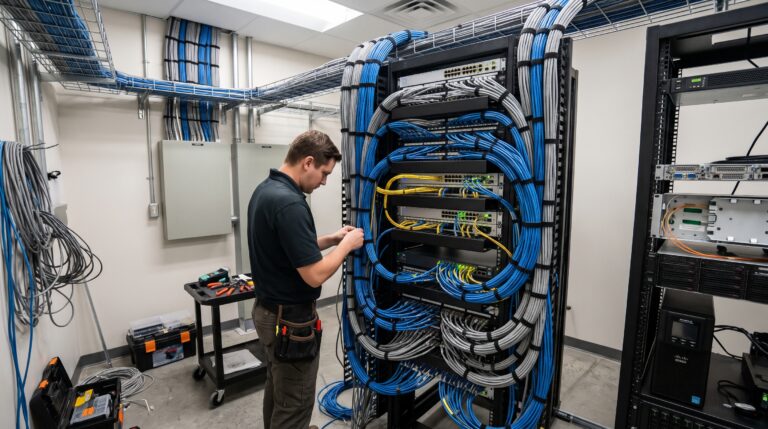
We install structured cabling for offices, clinics, warehouses, schools, and retail spaces. In other words, we pull the cable, terminate it, test it, and stand behind it when something goes wrong two years later. So when we talk about Cat6 vs Cat6a, we aren’t reading a spec sheet back to you. Instead, we’re thinking about ladder rack weight, conduit fill, how many access points will hang from the ceiling in five years, and whether your landlord will let us back into that ceiling once the tenant improvements are finished.
This guide therefore walks through how we actually make that recommendation, and also what you should expect to see in a quote.
Cat6 vs Cat6a: The Short Answer Before the Details
If you want the version we give on the phone, here it is.
Cat6 is a solid, proven cable. For example, it runs gigabit Ethernet to desks, phones, printers, and most cameras without breaking a sweat. As a result, it still makes sense for plenty of small and short term spaces, especially a straightforward small business network setup.
On the other hand, Cat6a is the better choice when the building will be occupied for a long time. It also wins when you plan to run 10 Gigabit Ethernet anywhere outside the server room, when you deploy modern wireless access points, or when you power a lot of devices over the cable itself.
Above all, remember that materials are not where most of the money goes on a cabling project. In fact, labor, ceiling access, lifts, after hours work, and permits cost the same whichever cable you pick. Meanwhile, coming back later to rip out and replace cable costs far more than the cable ever did. Most of our advice follows from that one idea.
What Actually Separates Cat6 vs Cat6a
The “a” stands for augmented, and the improvements are real. However, they don’t show up the way most people expect. For instance, a typical office user plugged into a Cat6 jack and a Cat6a jack will notice no difference in daily browsing or email. Instead, the gap opens up at higher speeds, at longer distances, and in crowded cable bundles.
Bandwidth
Cat6 is rated to 250 MHz, whereas Cat6a is rated to 500 MHz. Think of frequency as the width of a road. A wider road doesn’t make every car faster; still, it lets you carry far more traffic before things jam up. Consequently, that extra headroom is what lets Cat6a run 10 Gigabit Ethernet properly.
Distance at 10 Gigabit
This is the difference that matters most in a commercial building. Cat6 can carry 10 Gigabit Ethernet only over shorter channels, usually around 55 meters depending on the installation and crosstalk conditions, while Cat6a is built to carry it across a full 100 meter channel.
For context, a standard horizontal channel is built a specific way. It typically includes 90 meters of solid horizontal cable between the patch panel and the wall jack, plus up to 5 meters of stranded patch cord at each end. Therefore, every structured cabling design we produce is laid out around that 100 meter limit. Cat6 at gigabit speeds uses all of it. At 10 gigabit, however, Cat6 may only get about half.
Alien Crosstalk
This term sounds made up, but it causes real headaches. Crosstalk inside one cable is signal bleeding between its own pairs. Alien crosstalk, by contrast, is noise coming from the cable lying next to it. In fact, alien crosstalk is the transmission factor that affects 10 Gigabit performance over copper the most.
In a real office, cables don’t run alone. Instead, we bundle 24, 48, and sometimes more than a hundred cables together on J hooks and ladder rack heading back to the closet. Because of this, Cat6a uses tighter construction, internal separators, and thicker jackets to keep that neighbor noise down. That is why it costs more, and it’s also why it takes up more space.
Cat6 vs Cat6a Side by Side
| Feature | Cat6 | Cat6a |
|---|---|---|
| Rated frequency | 250 MHz | 500 MHz |
| Gigabit Ethernet distance | 100 m channel | 100 m channel |
| 10 Gigabit distance | About 55 m, environment dependent | Full 100 m channel |
| Alien crosstalk resistance | Moderate | Strong |
| Typical outside diameter | Smaller | Larger (reduced diameter options exist) |
| Best fit | Desks, phones, short lease spaces | WiFi 7 APs, high power PoE, long term buildings |
Why Distance Quietly Decides the Cat6 vs Cat6a Question
Clients often tell us, “We don’t need 10 gig at desks, so Cat6 is fine.” Sometimes that’s true. The catch, however, is that cable doesn’t only go to desks.
First, look at where your closet sits relative to the far corners of the floor. In a mid size office, runs of 60, 70, or even 80 meters are common once you account for going up the wall, across the ceiling, around a building core, and back down. So if any of those far runs ever needs to carry 10 gigabit traffic, Cat6 at that length becomes a gamble. Examples include a conference room display system, an engineering workstation, a camera aggregation point, or an access point uplink.
Moreover, the 55 meter figure for Cat6 is a planning number, not a promise. In a dense bundle with poor separation, real 10 gigabit reach on Cat6 can be shorter still. For example, we’ve tested older Cat6 runs that passed gigabit certification without a problem but wouldn’t hold a clean 10 gigabit link at 45 meters. Nothing was wrong with that install. Rather, it simply wasn’t the right cable for that speed.
With Cat6a, on the other hand, the 10 gigabit question disappears. As long as the channel is built and certified correctly to 100 meters, it supports 10 gigabit all the way to the end. Ultimately, that predictability is worth a lot when we design a floor.
Power over Ethernet Changed the Cat6 vs Cat6a Conversation
Ten years ago, the Cat6 vs Cat6a debate was almost entirely about data speed. Today, however, power is often the bigger reason we lean toward Cat6a.
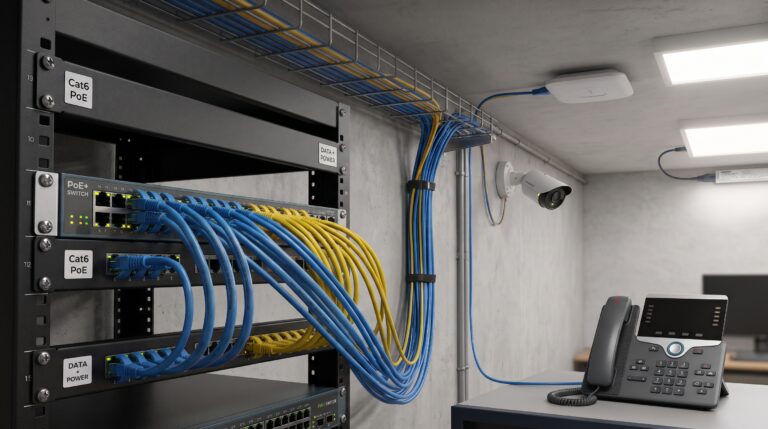
Your network cable no longer carries only data. In addition, it powers phones, cameras, access points, door controllers, badge readers, occupancy sensors, small displays, and in some buildings even LED lighting. Meanwhile, the standards have climbed fast. The original PoE standard (802.3af) supplies up to 15.4 watts per switch port, PoE+ (802.3at) raises that to 30 watts, and PoE++ (802.3bt) reaches 60 watts for Type 3 and 90 watts for Type 4.
The newest standard also uses the cable differently. Earlier PoE versions send power over two of the four pairs, whereas 802.3bt can energize all four.
More current through copper means more heat, and consequently heat inside a bundle doesn’t escape easily. As cables warm up, they also become more prone to insertion loss. In plain terms, a hot cable carries data less efficiently, and therefore its usable reach shrinks.
This is where conductor size matters. Many Cat6a cables use slightly thicker copper, and 23 AWG is the gauge found in most Cat6a and many Cat6 cables. Thicker copper has lower resistance, so it generates less heat on every run. Both categories can technically carry PoE. Still, what you’re really buying with Cat6a is thermal margin, especially in large bundles feeding a ceiling full of high power devices.
So on projects with heated PTZ cameras, multi radio access points, or a smart building lighting system, we design for Cat6a and keep bundle sizes sensible. That isn’t upselling. Instead, it’s how we keep a camera from randomly rebooting on hot afternoons.
WiFi 7 and the Access Point Problem
If there’s one place where Cat6 vs Cat6a stops being a close call, it’s the access point drops. In fact, we now recommend Cat6a there almost every time, even on budget projects.
Modern access points are fast; however, wireless speed is only as good as the wire behind it. That’s true for traditional ceiling AP grids and for mesh WiFi for business alike. Fluke Networks puts it plainly: WiFi 7 access points need at least two Cat6a connections capable of 10 Gigabit Ethernet. Similarly, the cabling standards have moved the same way, since several telecommunications standards, including ANSI/TIA 568.1 E, recommend running two Cat6a or better cables to each wireless access point. Like the RFCs that govern internet protocols, these documents are what keep every vendor’s gear working together.
As a result, our standard practice is simple. Every access point location gets two Cat6a runs, even if the current access point only has one port. After all, the second run costs relatively little while the ceiling is open. Adding it later, by contrast, means another ceiling tile, another lift, possibly after hours labor, and a fresh certification test.
Furthermore, access points tend to be the farthest devices from the closet, because they sit in the middle of open spaces, corridors, and warehouse aisles. That’s exactly where the 55 meter Cat6 limit for 10 gigabit gets tested first.
So even when a client chooses Cat6 for desks, we usually push hard for Cat6a to the ceiling. In our experience, that split design holds up well over time.
Already Have Cat6? Don’t Rip It Out Yet
Of course, not every business is building from scratch. If you’re in a space with a decent Cat6 plant, you probably don’t need to tear it out.
In fact, multigigabit Ethernet (2.5 and 5 gigabit) was created for exactly this situation. The Telecommunications Industry Association released TSB 5021 to guide how existing Cat5e and Cat6 cabling is evaluated for 2.5 and 5 gigabit use. Consequently, in many buildings, existing Cat6 will happily run access points at 2.5 or 5 gigabit.
There is a caveat, though. Not every installed Cat5e or Cat6 plant is guaranteed to support those speeds, because alien crosstalk can still get in the way. Therefore, before you buy new switches based on the cable you already have, get it tested. If you’re still sorting out which box does what, my guide to a network switch vs. a router is a good place to start. A certification tester will show what the existing plant can actually do, and that test costs far less than guessing wrong on a switch order. Once the new gear is live, network monitoring tools can also flag links that start throwing errors.
By comparison, Cat6a and higher systems support 2.5, 5, and 10 gigabit without any extra characterization. That certainty is part of what you pay for.
In short, our advice for existing buildings is this: test what you have, reuse what passes, and then run new Cat6a only where the testing or the device plan says you need it. Typically, access points and long runs to high power devices are the first candidates.
The Physical Side of Cat6 vs Cat6a Nobody Puts in the Brochure
This is where a contractor’s view differs from a product page. Cat6a performs better; however, it is a bigger, heavier, stiffer cable, and that affects the whole installation.
Cat6a averages roughly 0.29 to 0.35 inches in outside diameter, while Cat6 sits around 0.21 to 0.24 inches. For example, at a 40 percent fill ratio, a 3/4 inch conduit holds about three Cat6a cables compared with five Cat6 cables.
Here’s what that means on a job:
- Pathways fill up faster. Conduit, firewall sleeves, J hook spacing, and cable tray all need to be sized for the bigger cable. Moreover, on a retrofit with existing conduit, this alone can decide the project.
- Bend radius is larger. Cat6a doesn’t like tight corners. Therefore, wall boxes, furniture feeds, and cramped closets need more room, because a kink can fail certification.
- Weight adds up. A large bundle of Cat6a on ladder rack is noticeably heavier. As a result, support spacing matters more, and nobody wants a sagging tray over a ceiling grid.
- Termination takes longer. Cat6a jacks are larger, so terminating them takes more care. Our crews are fast; even so, it’s still slower per drop than Cat6, and that shows up in labor.
- Patch panel density changes. Similarly, high density panels and keystone jacks built for Cat6 may not fit Cat6a jacks or cable comfortably.
Fortunately, manufacturers have worked on this problem. Reduced diameter Cat6a is now common. For instance, Leviton’s Berk Tek RDT cable lists a reduced diameter of 0.230 inches, which is very close to many Cat6 cables. Likewise, Panduit offers a Cat6a cable at 6.2 mm, nearly the same as Cat6. So when pathway space is tight, we often specify one of these.
Shielded or Unshielded Cat6a?
Once a client decides on Cat6a, the next question is usually about shielding.
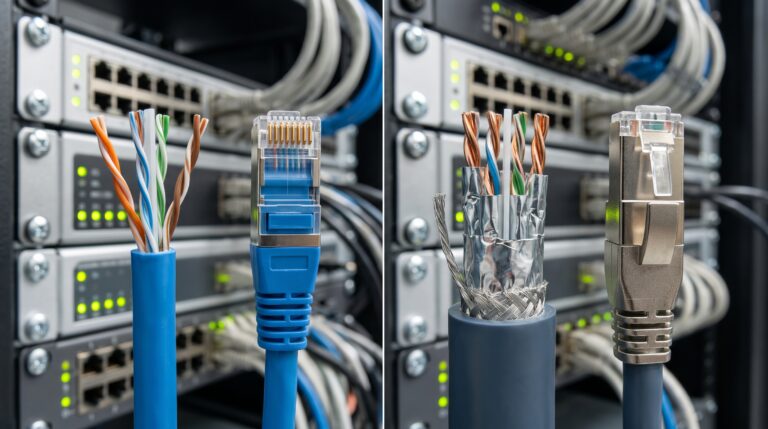
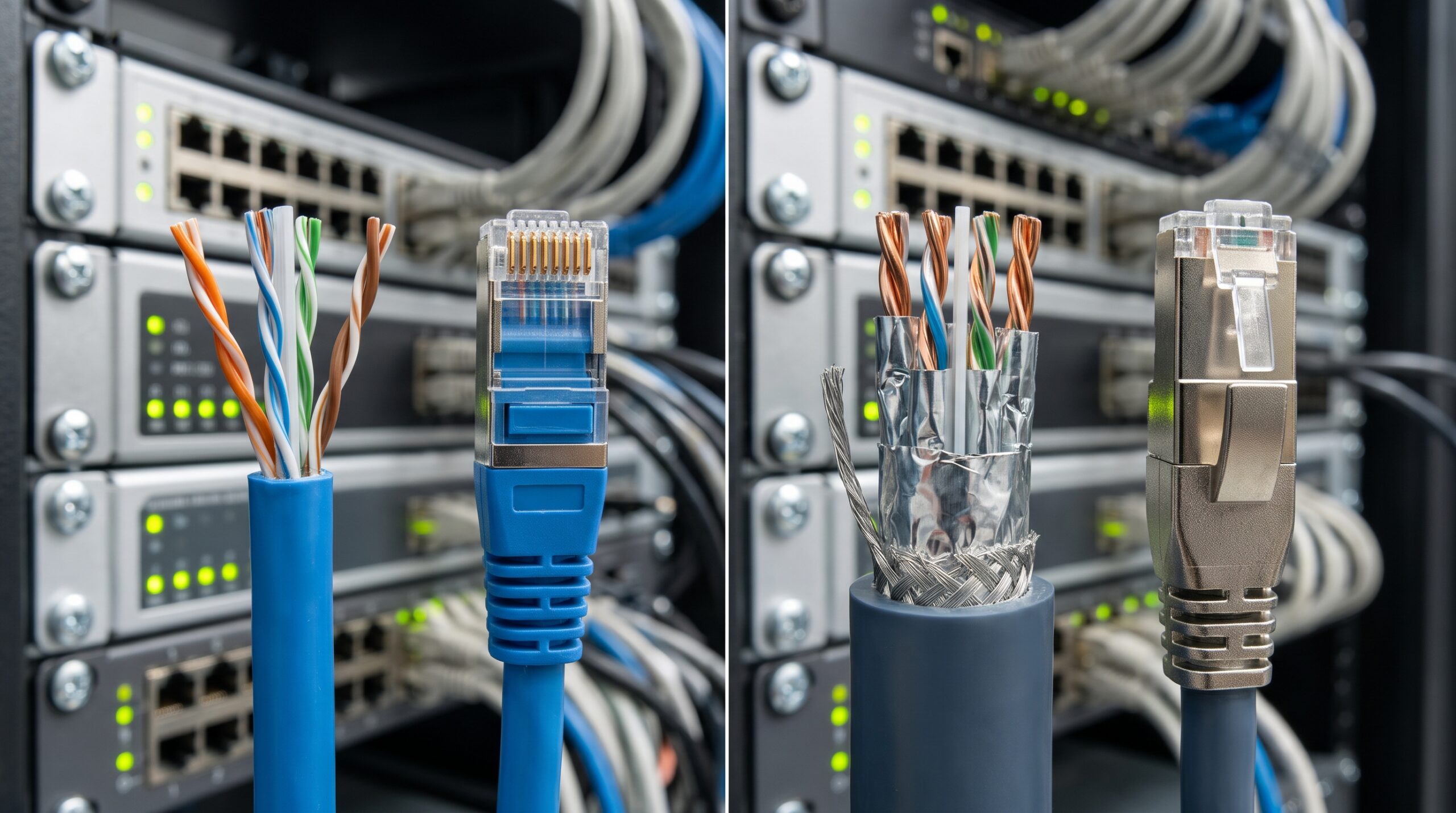
Most office environments, in fact, do perfectly well with unshielded Cat6a (U/UTP). It’s easier to handle, terminate, and ground, and besides, every crew already knows it well. Unshielded Cat6a can also come in a smaller diameter and is easier to handle.
Shielded Cat6a (F/UTP and similar types), on the other hand, makes sense near heavy electrical noise. Examples include manufacturing floors with variable frequency drives, imaging equipment in medical buildings, elevator machine rooms, and runs alongside high voltage feeders. In those spaces, shielding almost removes alien crosstalk. Interestingly, shielded Cat6a often ends up with a smaller diameter than unshielded Cat6a.
The trade off, however, is that a shielded system must be bonded and grounded properly from end to end. Shielded systems depend on correct shield continuity along with proper grounding and bonding. Otherwise, a poorly grounded shielded system can perform worse than a good unshielded one. So if your contractor proposes shielded cable, ask how they’ll handle bonding at the panel and the rack, and also whether the electrician will be involved.
How Cat6 vs Cat6a Pricing Really Shows Up in a Quote
People often expect the Cat6 vs Cat6a decision to double their budget. In reality, it rarely does.
When we price a project, the line items look roughly like this: cable, jacks and faceplates, patch panels and patch cords, pathway materials (J hooks, sleeves, firestop, tray), labor for pulling and terminating, testing and documentation, and finally project overhead such as lifts, permits, and after hours work.
Going to Cat6a raises cable, connectivity, and some termination labor. Additionally, it can raise pathway costs if conduit or sleeves need to be bigger. However, it doesn’t change permits, lift rental, ceiling access, project management, or the trip to your site. Consequently, the total project difference is usually a fraction of what the per foot cable price suggests. Of course, the exact gap depends heavily on how many drops you have and how much pathway work is involved.
The better comparison, though, is against the cost of doing it twice. Cabling should outlast several generations of switches and access points. If you replace the cable halfway through a long lease because new access points need more, you then pay for demolition, new labor, staff disruption, and a second round of testing. Above all, that’s the cost Cat6a protects you from. It’s worth weighing against your ongoing managed IT services cost too, since a weak cable plant tends to generate support hours.
Therefore, if your budget is tight, ask your contractor to price three options: all Cat6, all Cat6a, and a hybrid with Cat6 to desks and Cat6a to access points and high power devices. In many cases, the hybrid comes out as the best value.
Testing and Certification: The Part That Protects You
Whichever cable you choose, insist on certification testing. That means not just a simple continuity check or a toner, but rather a full certification test of every link against the category standard, with saved results.
After all, a Cat6a cable terminated with Cat6 jacks is only a Cat6 channel. Likewise, a Cat6a link with a bad termination, a tight kink, or an untwisted pair at the jack may fail to perform as Cat6a. The only way to know for sure is to test.
For this reason, we hand every client a test report for every drop, labeled to match the faceplates and patch panels. In addition, when a manufacturer system warranty is available (many major manufacturers offer one through certified installers), those test results are what make it valid. Mixing brands of cable and connectivity, however, can void that warranty. So ask your contractor whether they’re quoting a matched system.
Labeling matters too. A clean, documented plant saves your IT team hours every time something moves, whether that’s in house staff or outside IT support for small business. It also means fewer help desk tickets, smoother change management under frameworks like ITIL, and cleaner IT asset management records. Keep a copy of the test reports with your disaster recovery plan as well. Therefore, if a quote doesn’t mention labeling and documentation, ask about it.
Cat6 vs Cat6a Recommendations by Type of Business Space
Every building is different. Still, these are the patterns we follow most often.
Small office, short lease, under 25 drops. Cat6 to desks is reasonable. Even so, run Cat6a to access points, two per location. Also keep the closet tidy so the next tenant or the next upgrade is easier.
Mid size office, long lease or owned building. Use Cat6a for all horizontal cabling. You’ll likely be in the space long enough to see one or two rounds of wireless upgrades, so the extra margin pays for itself.
Medical and dental clinics. Choose Cat6a, and consider shielding near imaging equipment. Clinical systems, imaging transfers, and PoE devices all make the extra headroom worthwhile.
Engineering, media, and design firms. Run Cat6a everywhere, and furthermore consider 10 gigabit to specific workstations. After all, large files moving across the network are exactly where 10 gigabit to the desk starts to matter.
Warehouses and large floor plates. Use Cat6a for access points and cameras. In addition, plan for more than one closet or fiber to remote network cabinets, since long distances are the main challenge.
Security heavy sites. Choose Cat6a for cameras, especially heated PTZ units and anything on 802.3bt power, and keep them on their own VLAN. Likewise, keep bundle sizes reasonable to control heat.
Finally, one rule applies to every type of building: backbone links between closets and floors should be fiber. Copper category cable is for horizontal runs to devices, whereas fiber is for connecting the network itself, usually in the star layout described in most guides to network topology types.
Questions to Ask Any Cabling Contractor Before You Sign
Whether you call us or someone else, these questions will tell you a lot about the Cat6 vs Cat6a quote in your hand.
- Are you quoting a matched cable and connectivity system from one manufacturer, and does it carry a system warranty?
- Will every link be certification tested, and will I receive the full results?
- How many runs are you planning per access point, and in what category?
- How did you calculate pathway and conduit fill for the cable you’re proposing?
- What is the longest run in this design, and how close is it to the 100 meter limit?
- If you’re proposing shielded cable, how will bonding and grounding be handled?
- What will your labeling and documentation look like at handover?
In our view, a contractor who answers these clearly, without stalling, has probably thought about your building properly.
Final Thoughts on Cat6 vs Cat6a
Ultimately, the Cat6 vs Cat6a decision isn’t really about which cable is “better.” Cat6a is technically superior, and nobody disputes that. Instead, the real question is what your building needs for as long as you plan to occupy it, and what it will cost if you guess wrong.
For many small, short term spaces, Cat6 is still an honest, cost effective choice. However, for most businesses planning to stay put, running modern wireless, or powering a growing list of devices over the network, Cat6a is the safer investment. In the end, the best answer usually comes from someone who walks your space, measures the runs, and asks what the next five to ten years look like for your team.
After all, the cable goes into the walls once. So it’s worth getting it right.
Cat6 vs Cat6a: Frequently Asked Questions
Is Cat6a backward compatible with Cat6 and Cat5e equipment?
Yes. Cat6a uses the same RJ45 connector, so it works with older gigabit and 100 megabit equipment. Black Box also confirms this in its guide to Cat6a and higher cabling.
Can Cat6 run 10 Gigabit Ethernet?
It can, but only over shorter distances, usually around 55 meters depending on bundling and environment. By contrast, Cat6a supports 10 gigabit over the full 100 meter channel. L-com explains this gap in its Cat6 vs Cat6A comparison for horizontal runs.
Do I need Cat6a for WiFi 7 access points?
For full performance, yes. In fact, Fluke Networks recommends at least two Cat6a connections per WiFi 7 access point in its cabling for WiFi guide.
Does Cat6a handle Power over Ethernet better than Cat6?
Both carry PoE. However, Cat6a’s thicker conductors and construction give it more thermal margin in large bundles, which matters for 802.3bt (PoE++) devices. Belden covers this in why Power over Ethernet demands Cat 6A cable.
Should I replace my existing Cat6 with Cat6a?
Not automatically. Instead, test it first, because many existing Cat6 plants support 2.5 and 5 gigabit speeds. Accu-Tech explains TSB 5021 testing in its article on future proofed WAP deployment.
Is shielded Cat6a necessary for an office?
Usually not. Unshielded Cat6a works well in most offices, whereas shielded cable is best near heavy electrical noise and must be bonded and grounded correctly. L-com outlines the trade offs in its Cat6A cabling for 10G guide.
References
- L-com. Cat6 vs Cat6A: Which Is Better for Data Center Horizontal Runs?
- Wikipedia. Category 6 Cable
- Belden. What You Need to Know About Alien Crosstalk
- L-com. Power over Ethernet and Data Center Cabling
- D-Link. CAT 6A and Its Application
- Fluke Networks. Cabling for WiFi
- Siemon. WiFi 7 Is Here, But What Does That Mean?
- Accu-Tech. Considerations for Future Proofed WAP Deployment
- Black Box. CAT6A and Beyond Cabling Explained
- Leviton. Berk Tek RDT Cat 6A U/UTP Cable
- Panduit. Choosing Between Cat6A and Cat6 Cables
- L-com. Cat6A Cabling for 10GBASE T in the Data Center
- Belden. Why Power over Ethernet Demands Cat 6A Cable
About the Author