
What Is a VLAN? How Virtual LANs Segment Business Networks

What is a VLAN, and why does every network engineer seem to bring it up the moment a business outgrows its first switch? I learned the answer the hard way on the first network I ever untangled for a professional services firm. There were three floors, about ninety people, an accounting team, a small design studio renting space down the hall, a dozen IP phones, and two printers that nobody trusted. In addition, a single flat network held all of it together.
As a result, every device could see every other device, and the guest wireless sat on the same network as the file server holding client tax records. So when one workstation picked up something nasty from an email attachment, it started hammering everything it could reach. Soon after, the phones began to stutter before anyone knew why.
However, we didn’t fix it by buying more switches or pulling new cable. Instead, we fixed it with virtual LANs. I’ve been designing and troubleshooting business networks for a long time now, and I still think this is one of the most useful tools a network engineer has. At the same time, it’s also one of the most misunderstood. Business owners hear the term and assume it’s either magic security or obscure jargon. In reality, it’s neither.
So let me answer the question properly, the way I’d explain it to a client across the conference table.
What Is a VLAN?
A VLAN, short for virtual local area network, is a way of splitting one physical network into several separate logical networks. In other words, the cables and switches stay the same. What changes is how the switch treats the traffic moving through it.
For example, think of an office building with one big open floor where everyone can hear everyone else. Now put up glass partitions. People still share the same floor, the same electricity, and the same hallway, but conversations stay inside each room. Similarly, a virtual LAN does that for network traffic. NETGEAR describes it as a network that groups devices by something other than physical location, such as department, type of user, or primary application. Furthermore, traffic moving between these groups has to pass through a router, just as it would between two separate LANs.
Above all, that last point is the important one. Devices in the same segment talk to each other directly. By contrast, devices in different segments cannot, unless you deliberately give them a path, usually through a router, a firewall, or a Layer 3 switch. Therefore, that control point is where you get to decide who reaches what.
Why a Flat Network Needs a VLAN
Most small businesses start with a flat network, the default result of a basic small business network setup. Typically, you buy a router from the ISP, plug in an unmanaged switch, and everything lands in one big pool. For five people, that’s fine. However, as the firm grows, three problems show up.
Broadcast Noise
Devices constantly send broadcast traffic, which means little announcements that every device on the network has to receive and process. For instance, ARP requests, DHCP discovery, printer advertisements, and smart TV chatter all add up. On a network with twenty devices, nobody notices. On a network with three hundred, including cameras, phones, and wireless access points, that background noise starts eating into performance. Fortunately, every virtual LAN is its own broadcast domain, so splitting the network keeps that chatter contained.
Security Exposure
On a flat network, the receptionist’s laptop, the conference room TV, the visitor’s phone on guest wireless, and the server with the payroll database are all neighbors. Consequently, if one gets compromised, the attacker has a short walk to everything else.
Management Headaches
When everything lives in one space, you can’t easily apply different rules to different groups. For example, you can’t prioritize voice traffic over a large file download in any clean way. Likewise, you can’t give contractors internet access without also giving them a view of your internal shares.
Ultimately, segmentation addresses all three without forcing you to build separate physical networks for every department, which is what companies did before virtual LANs became standard.
How a VLAN Actually Works
This is the part most explainers rush through. So I’ll slow down, because this is where the understanding clicks.
The VLAN ID
First, every segment gets a number, called an ID. For example, you might use 10 for staff workstations, 20 for voice, 30 for printers, and 99 for management. The numbers themselves don’t mean anything to the switch beyond being labels; what matters is that you use them consistently across your network. In fact, the standard allows up to 4,094 usable IDs, since a couple of values are reserved. Even so, no business I’ve worked with has come close to needing that many.
VLAN Access Ports
An access port is a switch port that belongs to exactly one segment. For instance, you plug a desktop into port 14, you assign port 14 to segment 10, and that desktop is now on the staff network. Meanwhile, the desktop doesn’t know anything about segmentation. It just sends ordinary Ethernet frames, and the switch quietly files them under the right group.
That is the beauty of the design. Because the intelligence lives in the switch, end devices don’t need special configuration.
VLAN Trunk Ports and 802.1Q Tagging
Now imagine you have two switches, one on the second floor and one on the third. Staff exist on both floors, and phones exist on both floors as well. So how does the second floor switch tell the third floor switch which segment each frame belongs to?
That’s what trunk ports are for. A trunk is a link that carries traffic for many segments at once, usually between switches, or between a switch and a router or firewall. To keep the traffic sorted, the switch adds a small label to each frame before sending it across the trunk. Specifically, that labeling scheme is defined by the IEEE 802.1Q standard, which engineers often just call “dot1q.”
The 802.1Q tag is a 32 bit field placed between the source MAC address and the EtherType field of the frame. It holds a protocol identifier, a three bit priority value, a single drop eligible bit, and a twelve bit identifier for the segment. Put simply, it’s four bytes of extra information that say “this frame belongs to segment 20, and here’s how urgent it is.”
Then, when the frame reaches the switch on the other end, that switch reads the tag, knows where the frame belongs, and strips the tag before handing it to the destination device on an access port. As a result, the end device never sees any of it.
The Priority Field and Voice Quality
The priority field also deserves a mention, since it’s the reason you can tell the network to treat voice traffic as more urgent than someone downloading a large PDF. NetworkLessons points out that the priority bits in the tag are what make Quality of Service possible for time sensitive traffic such as VoIP. So if your phone calls ever sound choppy during busy hours, poor QoS on a flat network is a likely suspect.
The Native VLAN
There’s one wrinkle every engineer eventually learns the hard way. On a trunk, one segment can be designated as “native,” and its traffic travels without a tag. Omada notes that untagged frames arriving on a trunk get assigned to that native segment, which is ID 1 by default on many switches.
Importantly, the native setting has to match on both ends of a trunk. Otherwise, traffic leaks between segments in ways that are maddening to troubleshoot. I once spent most of an afternoon chasing a printer that showed up on the wrong network, and in the end the cause was a native mismatch on a single uplink someone had replaced over the weekend. We’ll come back to this in the security section, because it matters there too.
How Traffic Moves Between Each VLAN
If segments isolate traffic, then how does the accounting team print to the printer on segment 30? And how does anyone reach the internet?
The answer is routing. Since each virtual LAN is a separate network, typically with its own IP subnet, traffic between them has to be routed through a router or a Layer 3 switch. (Once traffic leaves your building, providers route between their networks using BGP.) Generally, there are three common ways to do it:
- Router on a stick. A single router interface connects to a trunk port and has a sub interface for each segment. It’s cheap and simple; however, every byte of traffic between segments crosses that one link, so it can become a bottleneck.
- Layer 3 switch. Here, the core switch handles routing itself using virtual interfaces for each segment. As a result, it’s fast and common in midsize offices.
- Firewall as the gateway. In this design, each segment’s gateway lives on the firewall, so every packet crossing a boundary gets inspected against a security policy. This is my preferred design for most professional services firms, because it turns those boundaries into real security boundaries.
That third option is especially important, and I’ll explain why shortly.
The VLAN Layout I See in Most Business Networks
Every network is different. Still, after enough deployments you notice patterns. For example, here’s a layout I’d sketch for a typical accounting practice, law office, or consultancy of fifty to two hundred people:
- Staff data. Company owned laptops and desktops.
- Voice. IP phones, with QoS so calls get priority.
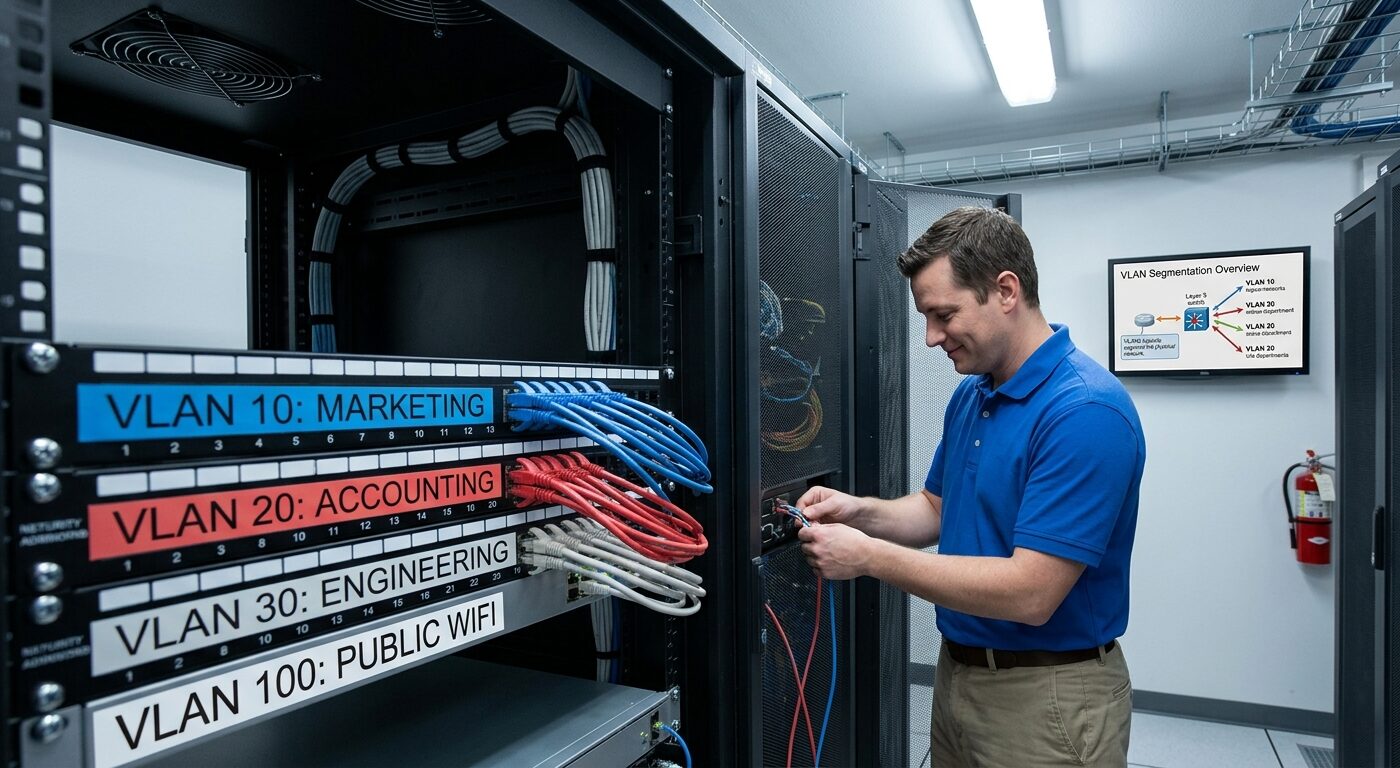
- Printers and shared devices. Printers, scanners, and copiers. Because these devices are notoriously poor at security updates, I like them on their own segment.
- Servers. File servers, domain controllers, internal DNS servers, line of business applications, and anything else holding client data.
- Guest wireless. Internet access only, with no path to anything internal.
- IoT and building systems. Cameras, door access controllers, conference room displays, and smart thermostats.
- Management. The switches, access points, and firewall management interfaces themselves. Naturally, only IT should reach this.
- Payment or regulated systems, where applicable. If you take card payments, isolating those devices also helps shrink your PCI compliance scope.
Matching the Layout to Industry Practice
Omada lists default, data, voice, management, native, and guest as the common types, which lines up closely with what I deploy in the field. Of course, the specific split depends on the business. Nevertheless, the principle holds: group devices by what they are and who should reach them, not by which desk they sit on.
Why Grouping by Function Pays Off
That last bit is a quiet advantage people underrate. For instance, when someone moves from the second floor to the third, their laptop stays on the staff network as long as the port is configured right. Likewise, when an employee changes roles, you change a port assignment rather than rewire anything. Princeton’s computer science department notes that a machine can be physically moved and stay on the same virtual LAN without any hardware reconfiguration.
VLAN vs. Subnet vs. VPN
Clients mix these up constantly, so here’s how I separate them.
VLAN vs. Subnet
A virtual LAN is a Layer 2 concept. In short, it decides which devices share a broadcast domain at the switch level. A subnet, on the other hand, is a Layer 3 concept, meaning a range of IP addresses. In practice, good design maps one segment to one subnet. For example, segment 10 might be 10.10.10.0/24, while segment 20 might be 10.10.20.0/24. If you run IPv6 as well, each segment typically gets its own /64 (see IPv4 vs IPv6). Although they’re different layers, they work as a pair.
VLAN vs. VPN
A virtual LAN separates traffic inside your local network. By contrast, a VPN creates an encrypted tunnel across a network you don’t control, usually the internet, so a remote worker can reach the office securely. Therefore, they solve completely different problems. In fact, you often use both: the remote user connects through the VPN and then lands in a specific segment with specific permissions.
VLAN vs. Physical Separation
Before virtual LANs, isolating departments meant buying separate switches and running separate cabling. Today, however, you get that separation in software, which is why the technology changed how offices are built.
Where a VLAN Falls Short
Here’s the part vendors don’t always lead with. Simply put, segmentation by itself is not a security control. Rather, it’s a separation mechanism.
Separation Is Not Access Control
Zero Networks makes the point that virtual LANs separate broadcast domains but don’t control access between devices on their own. So a compromised machine can still move laterally to others in the same Layer 3 network. I agree with that completely. For example, if you create five segments and then let your core switch route freely between all of them with no rules, you’ve organized your network, but you haven’t really secured it. In that case, an attacker who lands on the printer segment can still reach the servers.
For this reason, I put routing between segments through a firewall, or at minimum apply access control lists on the Layer 3 switch. In other words, the segment creates the boundary, and the policy decides what crosses it. Guest wireless gets internet only. Similarly, printers accept print jobs from staff but can’t initiate connections to servers. Meanwhile, cameras talk to the video recorder and nothing else. That’s segmentation that actually holds up.
Traffic Inside the Same VLAN
The other limitation is inside the segment itself, because devices sharing it can still talk freely. So if you need to stop that too, say for a guest network where visitors shouldn’t see each other’s phones, you look at client isolation on the wireless controller or private VLANs on the switch.
Securing a VLAN Against Common Attacks
Virtual LANs can be attacked, mostly through misconfiguration. The best known technique is VLAN hopping, where traffic from one segment sneaks into another. Zenarmor explains that this happens through switch spoofing or double tagging, and that proper switch port configuration blocks both.
Switch Spoofing
Switch spoofing happens when a switch port is set to negotiate trunking automatically. In that situation, an attacker’s machine pretends to be a switch, and the port agrees to form a trunk. Suddenly, that machine can see traffic from every segment on the link.
Double Tagging
Double tagging, meanwhile, abuses the native setting. First, an attacker on the native segment crafts a frame with two tags. Next, the first switch strips the outer tag and forwards the frame across the trunk. Finally, the next switch reads the inner tag and delivers it to a network the attacker was never supposed to reach.
My Standard VLAN Hardening Checklist
Fortunately, the fixes are simple once you know them, and they’re part of my checklist on every build:
- Set every user facing port as a static access port. Above all, never leave ports in an automatic negotiation mode.
- Disable trunk negotiation on all ports, and then configure trunks manually only where switches connect to switches or firewalls.
- Move the native setting to an unused ID with no devices on it, and never use ID 1 for user traffic. Red Fox Security makes the same recommendation, advising unused IDs as native on trunk ports.
- Prune trunks so they carry only the segments actually needed on that link.
- Shut down unused ports and, in addition, park them in a dead segment.
- Use 802.1X where you can, so devices authenticate before the switch decides where they land.
- Audit regularly. JumpCloud recommends routinely auditing ports, segment settings, and ACLs, and watching traffic for anomalies that may signal hopping attempts.
None of this requires expensive gear. Instead, it requires discipline and a written standard that everyone touching the network follows.
How I Plan a VLAN Layout for a Growing Firm
When a firm brings me in to segment its network, the process usually looks like this.
Step 1: Start With an Inventory
First, walk the office, export DHCP leases, and scan the network. You’ll almost certainly find devices nobody remembers buying. In fact, every engagement I’ve done has turned up at least one forgotten device, often a camera recorder or an old NAS sitting under a desk.
Step 2: Group Devices by Trust and Function
Next, group devices by trust, not by department. For example, a partner’s laptop and a junior associate’s laptop belong in the same trust group. On the other hand, a printer and a smart TV belong in a lower trust group, even though one sits in accounting and the other sits in the lobby.
Step 3: Write the VLAN Policy Before Touching the Switch
Then, for each segment, write down what it needs to reach and what should reach it. This single page becomes your firewall rule set and, consequently, saves enormous pain later.
Step 4: Choose a Sensible Numbering Scheme
After that, pick a numbering scheme that makes sense to the next engineer. Personally, I like matching the ID to the third octet of the subnet, so segment 20 is 10.10.20.0/24. It sounds trivial. However, at two in the morning during an outage, it isn’t.
Step 5: Confirm Your Hardware
Equally important, segmentation needs a managed switch, because unmanaged switches can’t be configured for it. I’ve seen offices plan an entire project and then discover half their closets are full of unmanaged switches. So check first.
Step 6: Migrate in Stages
Next, move one group at a time, starting with something low risk like guest wireless or printers. Test, confirm, and warn the help desk before each move, and only then move on. After all, moving everything on a Friday evening is how weekends get ruined.
Step 7: Document Everything
Finally, document port maps, segment names, subnet assignments, firewall rules, and the reasoning behind exceptions. Ultimately, documentation is the difference between a network that survives staff turnover, or a change in IT support, and one that has to be rediscovered by every new hire.
Common VLAN Mistakes I See Over and Over
A few patterns show up so often they’re almost predictable.
Too Many Segments
Some engineers get excited and create a segment for every department, every floor, and every device type. However, twenty segments for forty people isn’t good design; it’s a maintenance burden. Instead, segment by trust and function, and stop there.
Wide Open Routing Between Segments
I covered this above, but it’s worth repeating. Segments with no policy between them give you organization, not security.
Everything Left on VLAN 1
Default configurations tend to stay default far longer than anyone intends. As a result, I still find networks where management interfaces, user devices, and the native setting all share ID 1.
Mismatched Native Settings
Similarly, one misconfigured uplink can cause strange leaks and spanning tree complaints that look like hardware failures.
No Documentation
Eventually, the engineer who built it leaves, and then the next person spends weeks reverse engineering port assignments. If you outsource, make up-to-date documentation a written requirement of your managed IT services agreement.
FAQ
What is a VLAN in simple terms?
It’s a way to divide one physical network into several separate networks using switch configuration instead of separate hardware. As a result, devices in the same segment communicate directly, while devices in different segments need a router or firewall to reach each other.
Further reading: NETGEAR Support
Do I need special equipment to set up a VLAN?
Yes. Specifically, you need managed switches that support 802.1Q, plus a router, firewall, or Layer 3 switch to route traffic between segments. In contrast, unmanaged switches cannot do this.
Further reading: Omada Networks
What is the difference between a VLAN and a subnet?
A virtual LAN works at Layer 2 and defines a broadcast domain on the switch. Meanwhile, a subnet works at Layer 3 and defines a range of IP addresses. Therefore, most well designed networks map each segment to its own subnet.
Further reading: Omnitron Systems
Is a VLAN the same as a VPN?
No. A virtual LAN separates traffic inside your local network. On the other hand, a VPN creates an encrypted tunnel over an outside network, usually the internet, so remote users can connect securely.
Further reading: Huntress
What is 802.1Q?
It’s the IEEE standard for tagging virtual LAN traffic. In short, it adds a four byte tag to Ethernet frames on trunk links so switches know which segment each frame belongs to.
Further reading: NetworkLessons
Is a VLAN enough to secure a business network?
Not on its own. Although segmentation creates separation, you still need firewall rules or access control lists to decide what traffic may cross between segments. In addition, you need hardened switch configuration to prevent hopping attacks.
Further reading: Zero Networks
What is VLAN hopping and how do I prevent it?
It’s an attack where traffic escapes its segment through switch spoofing or double tagging. To prevent it, disable trunk negotiation, use static access ports, move the native setting off ID 1, prune trunks, and shut down unused ports.
Further reading: JumpCloud
How many segments should a small business have?
Most small and midsize firms do well with five to eight: staff, voice, printers, servers, guest, IoT, management, and payment systems if needed. In other words, build around trust levels, not around every department.
Further reading: Lenovo
What Is a VLAN Worth to Your Business? Final Thoughts
If you remember one thing, make it this: a virtual LAN lets you build many networks on one set of hardware, and the real value comes from the rules you place between them. When done well, segmentation cuts broadcast noise, protects sensitive client data, keeps phone calls clear, and also makes the whole network easier to manage as the firm grows.
And that ninety person office I mentioned at the start? After segmentation, the guest wireless couldn’t see the file server, the phones had their own lane, and the printers stopped being a liability. So the next time a workstation picked up something nasty, it stayed contained to one segment, and the firewall logs told us exactly where it came from. In the end, it was the same cables and the same switches. The only difference was a network that finally understood who belonged where.
References
- NETGEAR Support. Knowledge Base Article on Virtual LANs. kb.netgear.com
- Omada Networks. Definition, Types and How It Works. omadanetworks.com
- Cisco Learning Network. IEEE 802.1Q Tagging and Trunking. learningnetwork.cisco.com
- NetworkLessons. 802.1Q Encapsulation Explained. networklessons.com
- GeeksforGeeks. Virtual LAN. geeksforgeeks.org
- Zero Networks. Core Components and Segmentation Strategies. zeronetworks.com
- Huntress. The Key to Network Segmentation and Security. huntress.com
- JumpCloud. Hopping Attacks Explained. jumpcloud.com
- Zenarmor. A Comprehensive Guide to Hopping Attacks. zenarmor.com
- Red Fox Security. VLAN Hopping Attack. redfoxsecurity.medium.com
- Lenovo. Glossary Entry on Virtual LANs. lenovo.com
- Princeton University Computer Science. Virtual LANs. csguide.cs.princeton.edu
- Omnitron Systems. How a Virtual LAN Works. omnitron-systems.com